Product tour

Everything your shop needs to sell

Product range, prices, checkout, shipping and the processing of every order: Shopcloud brings it all together in one system, for consumers and business customers, with no interface to a second program.
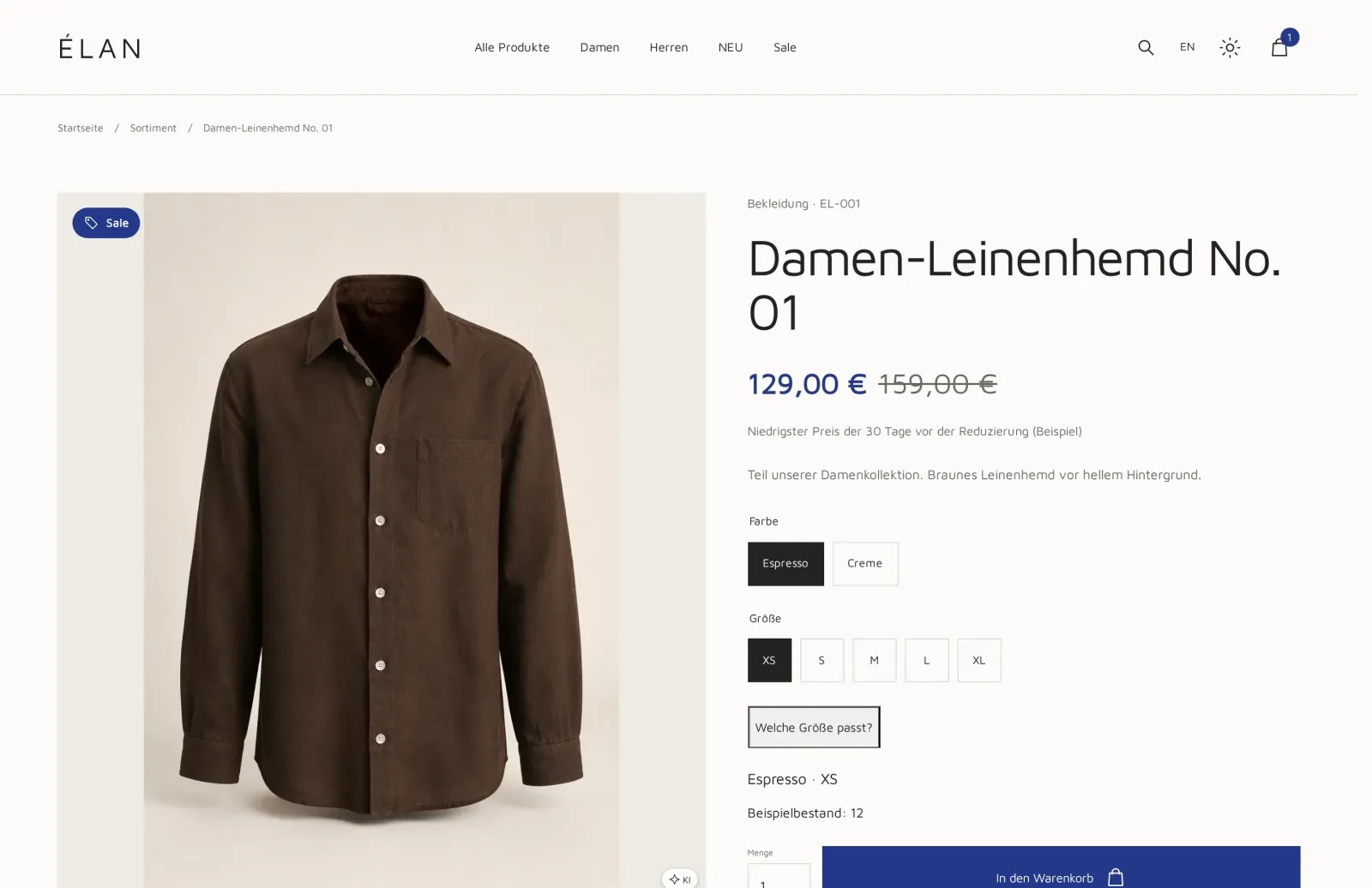
Product page in the example design ÉLAN with a linen shirt, price, strike-through price, size selection and add-to-cart button.
Example design ÉLAN · Product page with sample data
01 · Shop & content

Your product range, presented the way it wants to be sold

Your team maintains texts, images and prices once. The shop shows what the team has approved.

Product range and variants

Products get variants, attributes and order quantities. If an item is only sold in packaging units, for example in 2, 4 or 8 pieces, you define that per variant.
  • Variants with their own selection on the product page
  • Attributes your customers can filter by
  • Only what your team has approved goes online
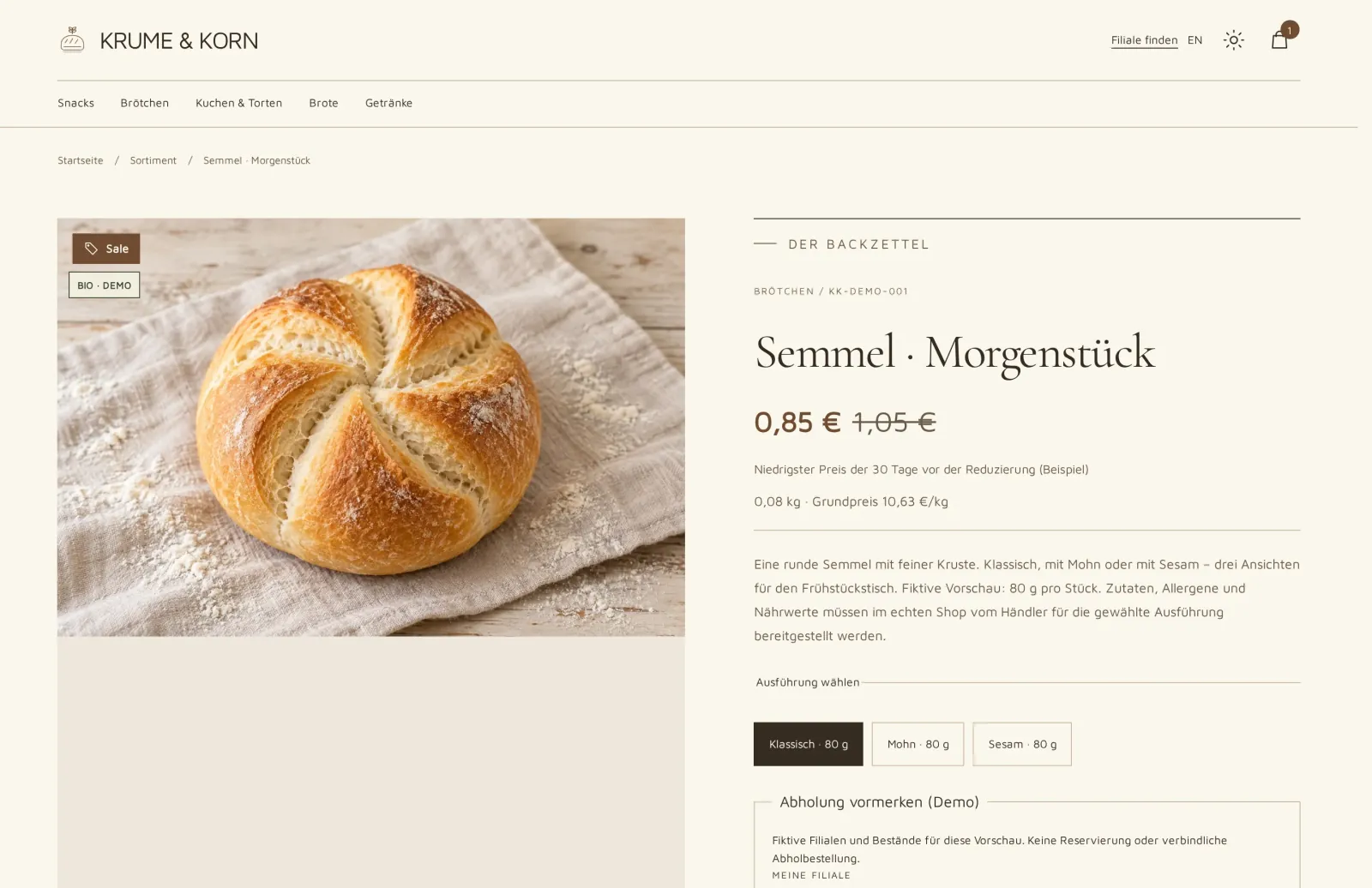
Product page in the example design KRUME & KORN: bread roll with price, strike-through price, unit price per kilogram and a choice of the classic, poppy seed or sesame version.
Example design KRUME & KORN · Variants to choose from

Search and filters

Your customers filter by category, attribute and brand. You maintain search synonyms yourself.

Content pages

You design the home page, campaign pages and legal texts in the same system as your products.

Customer account

Your customers see their orders and reorder with one click.

02 · Prices & tiers

The right price for every customer

You maintain prices once in price lists. They apply in the shop, in the quote and in the order.

Price lists, tiers and promotions

You create separate price lists for resellers, end customers, countries or promotions, net or gross and in the right currency. You store tiers, special prices and annual agreements there as rules.
  • Tiered pricing from a set quantity
  • Strike-through price and recommended retail price
  • Unit price per liter or kilogram based on the variant's content
  • If no rule applies, the shop would rather show no price than a wrong one
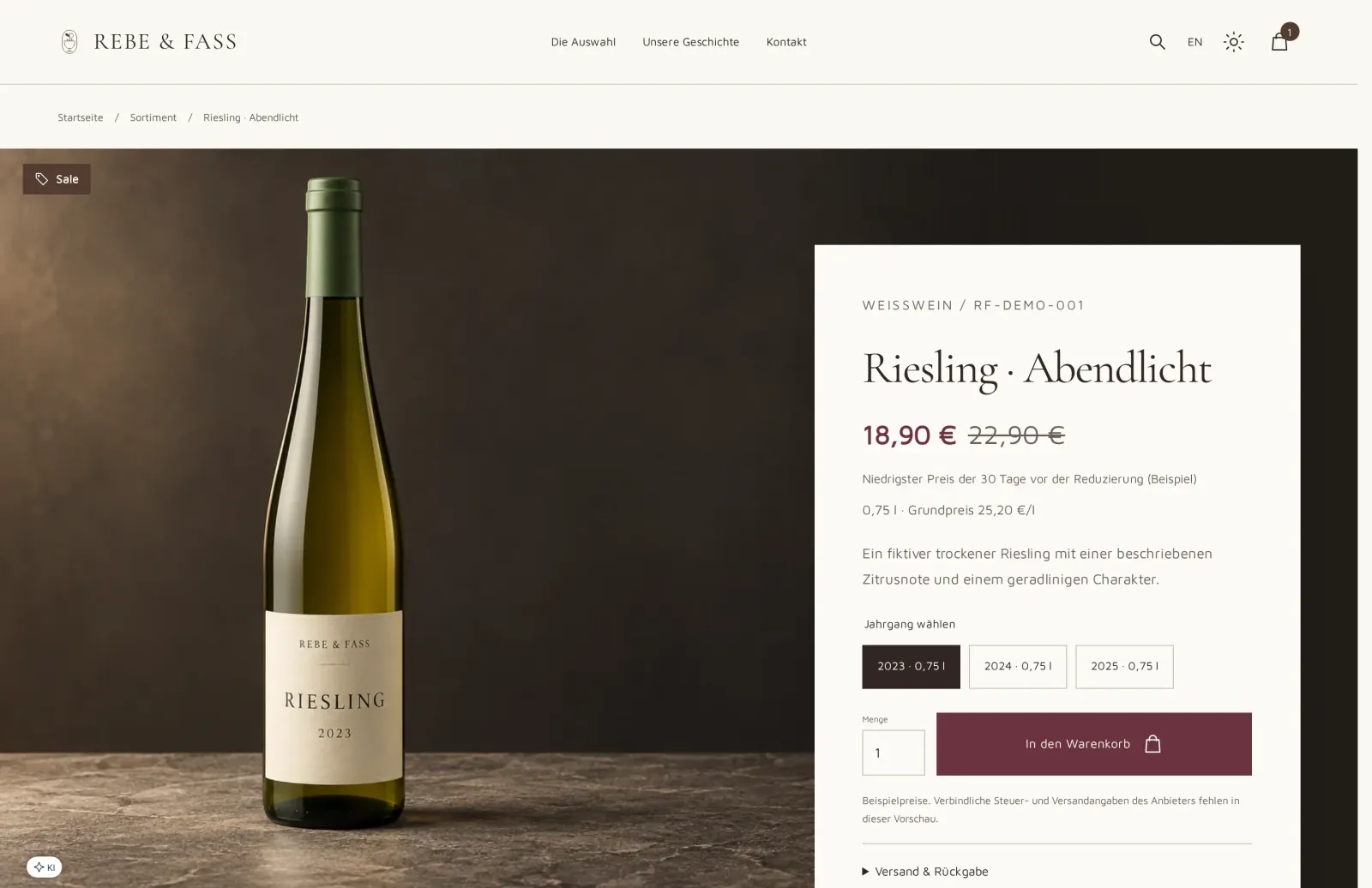
Product page in the example design REBE & FASS: Riesling with price, struck-through previous price, unit price per liter and vintage selection.
Example design REBE & FASS · Strike-through price and unit price per liter

One set of prices for every channel

Shop, customer portal and quotes use the same price lists. Anything that should be different in the shop becomes its own price list.

Customer prices for companies

Signed-in business customers see the prices from their price list, net on request. More for business customers

Gross or net

The price display depends on the customer account. Consumers see gross prices, companies net prices.

03 · Cart & payment

A checkout that suits your customers

Consumers buy quickly as guests, business customers with their company account and on invoice.

Cart and checkout

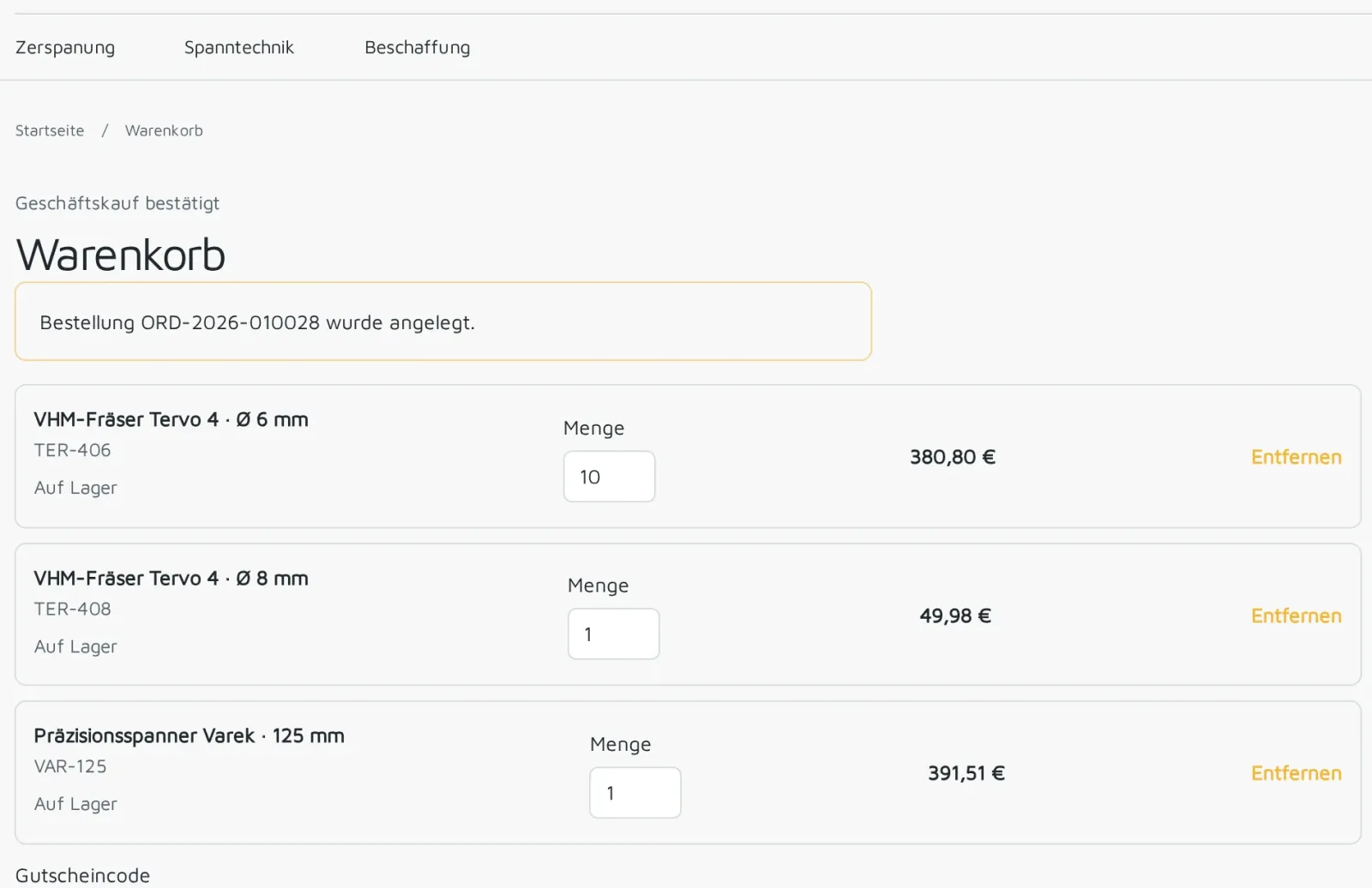
Your customers buy as a guest or with an account, with a separate billing and shipping address and with a voucher. If a cart is better suited to a quote, the customer requests one directly from the cart.
  • PayPal and prepayment for consumers
  • Pay on invoice with payment terms for approved business customers
  • We connect further payment methods as an extension
Cart in the example design WERKSTÜCK: order from Veldora Handel GmbH with two solid carbide milling cutters and a precision chuck.
Example design WERKSTÜCK · Cart
04 · Shipping

Shipping costs by your rules

The shop calculates by delivery zone and shipping method. Special cases become an inquiry to your team.

ParcelsParcel prices and minimum prices as rules
PalletsSeparate pallet prices
FreightFor large and heavy shipments
Own deliveryWith your own vehicles
PickupYour customer picks up the order

By delivery zone

The shop calculates shipping costs per zone you define.

Shipping addresses per company

You define which addresses a company may have goods delivered to.

Shipping notification by email

Once the goods have left your warehouse, your customer receives the shipping notification with a PDF.

05 · Order processing

Ordered in the shop, processed in the same system

The order from your shop is the same transaction your team carries through to the invoice.

Arrives complete

Every order is in order processing with customer, line items, prices and addresses. Nobody has to retype or recalculate anything. On every order, your team sees how far along it is and what comes next.
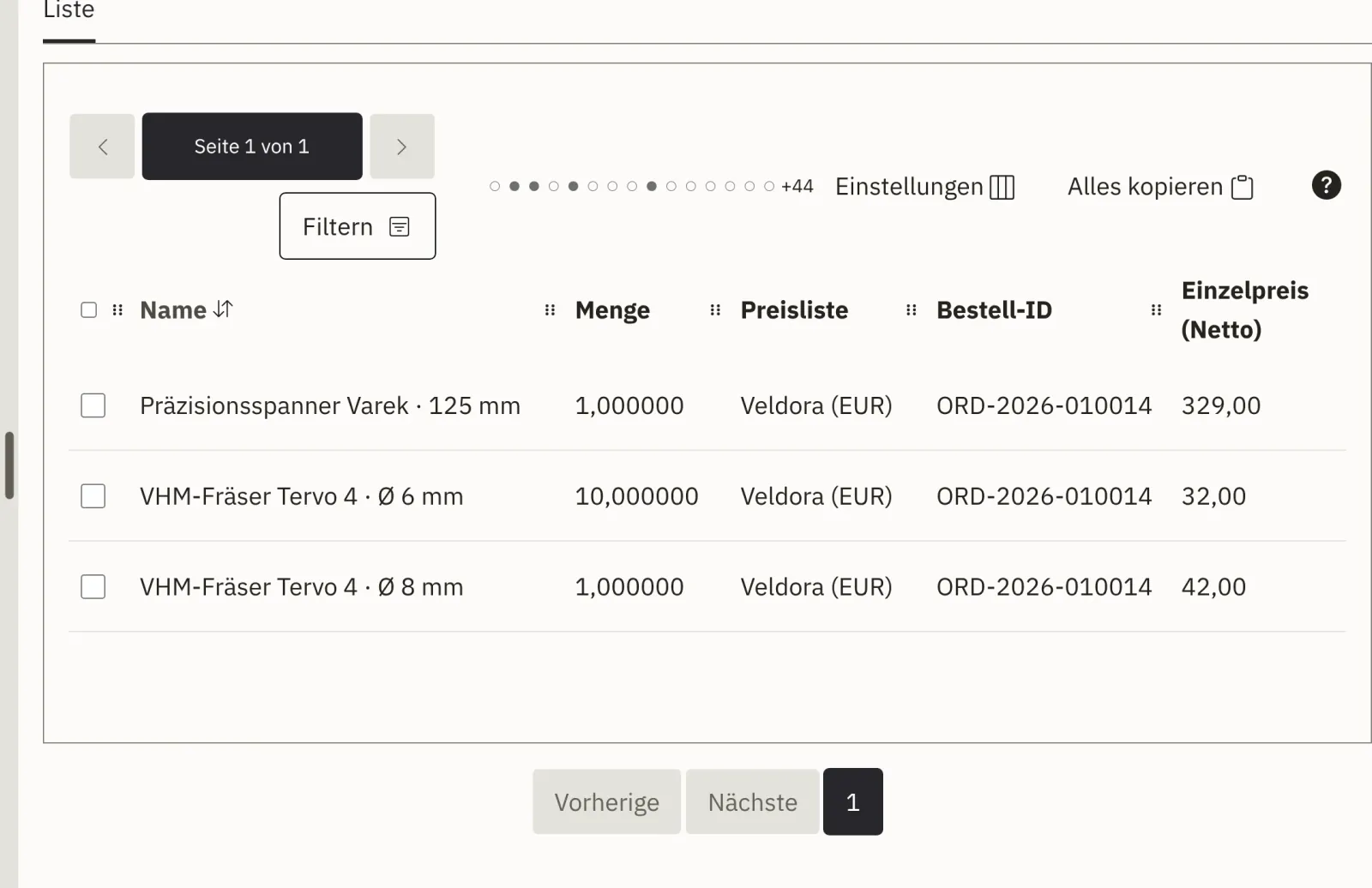
  • The customer's prices, exactly as in the shop
  • Your customer's purchase order number on all documents
  • Cancellation, return and credit note as separate, visible steps
Line items of a shop order from Veldora Handel GmbH in order processing, with net prices from the customer's price list.
Demo environment · Line items at the agreed customer price
  1. ReceiptThe order is created at checkout. Your customer immediately receives a confirmation by email.
  2. ApprovalYour team checks line items, prices and shipping. The order confirmation goes out as a PDF.
  3. Payment & shippingWith prepayment, the shipment waits for the payment to arrive; orders on invoice proceed directly.
  4. Invoice & returnInvoice and delivery note are created from the order. You record returns against the original order.
06 · Getting found

Built so customers find your products

Your product pages reach search engines fully structured. You keep customers up to date with a newsletter.

Readable URLs

Every product page gets a readable URL that matches your product.

Structured product data

Name, price and availability are provided in a form search engines can read.

Sitemap and Search Console

The sitemap of your products is published along with the shop. You connect Google Search Console.

Statistics without cookies

Your visitor statistics work without cookies.

Newsletter

Sign-ups are confirmed by email. You send campaigns from the system.

Old URLs redirected

When you switch, we redirect the URLs of your current shop to the new pages. About switching

See the features in a demo

In a demo, we show you the shop and order processing with sample data. Afterwards, you receive an offer.