 shopcloud
You decide
Every AI task ends with a suggestion. Your team decides whether to accept, adjust or discard it.
Product texts, image descriptions, search terms, replies to customer inquiries: the AI in Shopcloud does the groundwork. Your team sees every suggestion and decides. Only what someone has approved makes it into your shop.
Relaxed linen shirt with a clean line: airy to wear, with a button placket and chest pocket. Available in several sizes.
How AI works in Shopcloud
Every AI task ends with a suggestion. Your team decides whether to accept, adjust or discard it.
An accepted text first becomes a draft. It is only published with your approval.
Tasks involving personal data run on a local model by default.
You set a budget per period for each model. Before every request, Shopcloud checks whether it is sufficient.
Products
New stock, a hundred items, no text: the AI suggests product texts, image descriptions and attributes. Your team sees the sources and decides on every suggestion.
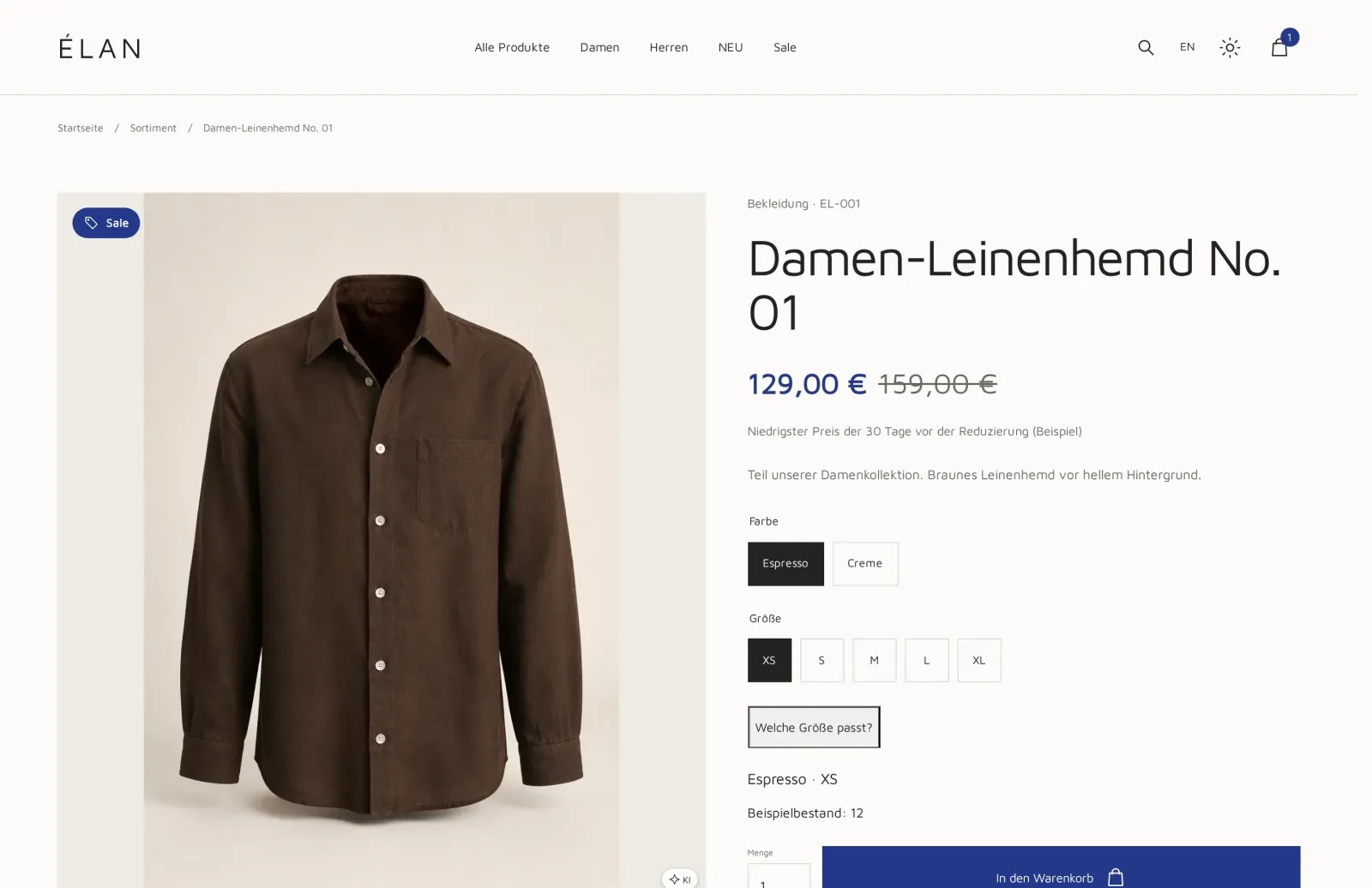
Brown linen shirt with button placket, lying on a light background.
Shop search
Your customers search for “linen blouse”, but your product range only knows “linen shirt”. The AI analyzes searches with no or few results and suggests synonyms, corrections and suitable landing pages.
A suggestion only becomes a rule once your team accepts it. The search in the shop itself works without any AI call: your customers' search queries are not sent to any model.
linen blouseSynonym for “linen shirt”linen shrtCorrection to “linen shirt”summer shirtLanding page “Shirts”Customer inquiries
The AI summarizes incoming emails, categorizes them and suggests a reply. Deciding and sending remain up to your team.
In the chat on your website, a local AI model can, on request, suggest search terms, attributes and follow-up questions, and your team decides what to send.
A customer asks whether the linen shirt is also available in size L and when it will arrive.
Suggested replyHello, the linen shirt is available in size L. You can find it directly on the product page …
Labeling AI content
For EU target markets, Article 50 of the EU AI Act applies. You confirm the origin per text field and per image, and your online shop displays the appropriate notices based on that.
Shopcloud supports you in labeling texts and images. This does not constitute legal advice.
Your own AI assistant
Does your team work with an AI assistant? Shopcloud is open to it: your assistant can work with your shop, with exactly the permissions of the person using it. Whatever someone is not allowed to do in the shop, their assistant is not allowed to do either.
Your assistant knows the Shopcloud workflows for product data and catalog, shop and pages, AI labeling, shipping, marketing analytics and sales. So it doesn't have to guess how your shop works.
The assistant may only make changes once you agree. Shopcloud does not hand your credentials over to the assistant. Technically, this runs through open interfaces (API and MCP), which we connect with you during setup.
Which campaign brought in the most orders this month?
Most orders came through the call to action on the “Fall” campaign page. Should I draft a similar page for the winter range?
Yes, as a draft.
Data and models
We define with you, per task, which model handles it: a local model or a cloud provider.
View security & privacyTasks involving personal data run on a local model by default.
An external provider only receives texts containing personal data if you explicitly set this up, and then with masked details.
For every AI task, a record shows which model processed it or why none ran. The content of the request is not logged.
You set a budget per period for each model. Before every request, the system checks whether it is sufficient, and the budget is never exceeded.
If no permitted model is set up for a task, the task does not run.
No. The AI makes suggestions. Accepted texts first become drafts and are only published after your approval.
No. Together with you, we set up during the launch which AI tasks you use and with which model.
Tasks involving personal data run on a local model by default. Such texts only go to an external provider if you explicitly set this up, and then in masked form.
No. It suggests replies; your team decides and sends them.
Yes. Your assistant works with the permissions of the person using it and only changes something after your consent. We set up the connection with you.
You set a budget per period for each model. It is checked before every request and never exceeded.
In the demo, we show you product texts, search suggestions and labeling with sample data. Then we clarify which AI tasks suit your shop.